


Views: 0 Author: Site Editor Publish Time: 2026-02-26 Origin: Site


Setting up a solar energy system should be straightforward. But when your battery won't talk to your inverter, the entire system grinds to a halt.
This communication breakdown is more common than you might think. Many installers and system owners discover too late that their batteries and inverters aren't compatible—or worse, they're compatible but misconfigured. The result? Batteries that won't charge properly, inverters that can't read state-of-charge data, and systems that underperform or fail entirely.
The key to avoiding these issues lies in understanding how Battery Management Systems (BMS) communicate with hybrid inverters. This guide will walk you through the technical essentials of BMS-inverter communication, troubleshooting common errors, and identifying compatible systems—so you can build a solar setup that actually works.
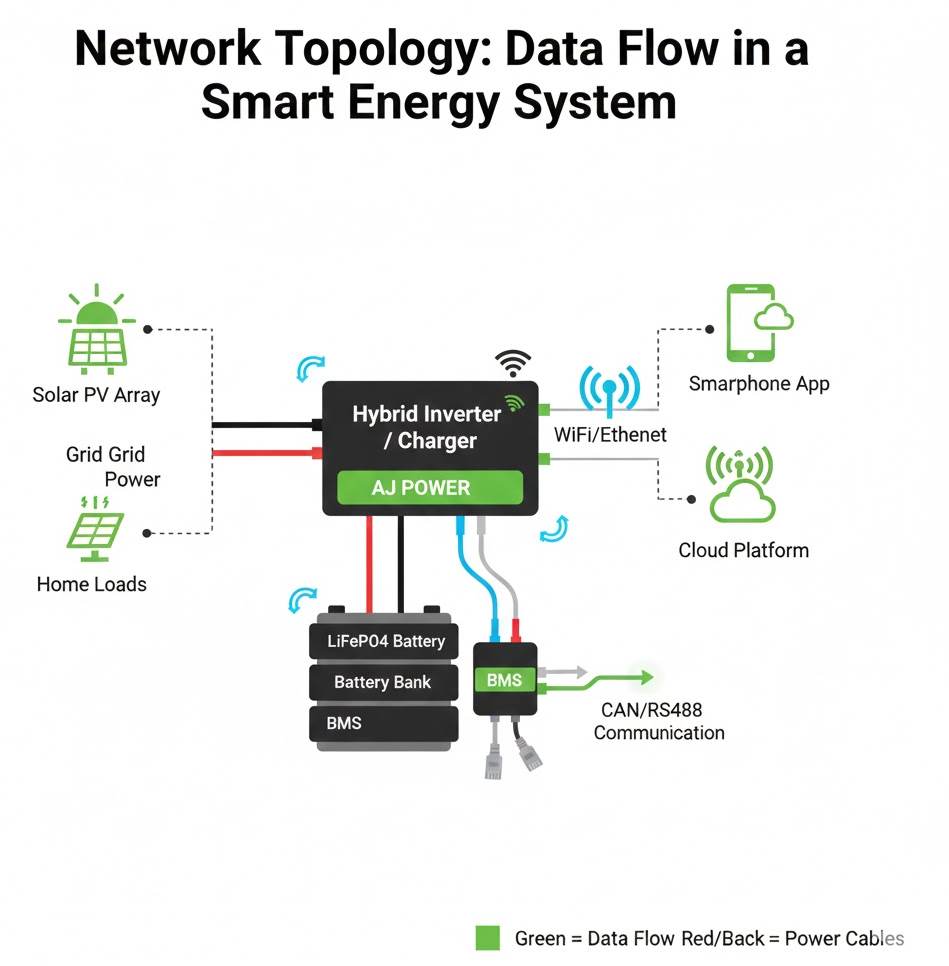
A Battery Management System acts as the brain of your battery pack. It monitors cell voltages, temperatures, current flow, and overall battery health. But here's what many people miss: the BMS doesn't just collect this data—it needs to share it with your hybrid inverter.
When your BMS and inverter communicate properly, they work together to optimize charging cycles, prevent overcharging or deep discharge, and maximize battery lifespan. Without this communication, your inverter operates blind, making assumptions about battery status that can lead to premature battery degradation or system failure.
Think of it like this: your inverter is the conductor of an orchestra, but it needs real-time information from the BMS to know when to charge, when to discharge, and how much power the battery can safely handle at any given moment.
Two primary communication protocols dominate the solar energy storage market: CAN (Controller Area Network) and RS485. Understanding these protocols is essential for ensuring hybrid inverter compatibility.
CAN bus communication originated in the automotive industry and has become the preferred protocol for battery-inverter communication. It offers several advantages:
Real-time data exchange: CAN enables millisecond-level communication speeds, allowing for instant updates on battery status
Closed-loop communication: The BMS and inverter can send data back and forth, creating a true dialogue rather than a one-way transmission
Reliability: CAN bus systems include built-in error detection and correction
Standardization: Many manufacturers have adopted CAN protocols, improving cross-brand compatibility
RS485 represents an older but still widely used communication standard. While not as sophisticated as CAN, it offers:
Simplicity: Easier to configure for basic systems
Long-distance capability: Can transmit data over longer cable runs
Cost-effectiveness: Generally less expensive to implement
Most modern hybrid offgrid inverters support both protocols, but the quality of implementation varies. The AJ NM-ECO series, for example, includes dual communication ports that accommodate both CAN and RS485 connections, providing flexibility for different battery types.
Closed-loop communication transforms your solar system from a collection of parts into an integrated whole. Here's what it enables:
Dynamic charge management: The inverter adjusts charging current based on real-time temperature readings from the BMS. On hot days, it might reduce current to prevent overheating. On cold days, it might implement a warming charge cycle.
Accurate state-of-charge calculations: Instead of relying on voltage estimates, the inverter receives precise data about remaining capacity. This prevents the common issue of batteries showing "full" when they're actually at 80%.
Predictive maintenance: The BMS can alert the inverter (and you) to developing issues before they become critical—like individual cells drifting out of balance or unusual temperature patterns.
Even with compatible hardware, communication failures happen. Here's how to diagnose and fix the most common issues.
Symptom: The inverter doesn't recognize the battery at all, or displays "Battery Not Connected" despite proper physical connections.
Solution: Verify that both devices are configured for the same protocol. Check your inverter's settings menu—many units default to CAN but can be switched to RS485 through configuration. Similarly, some BMS units require manual protocol selection.
Many hybrid inverters and BMS units use DIP switches (small physical switches inside the unit) to configure communication settings. These tiny switches control critical parameters like:
Battery type selection (lithium-ion, LiFePO4, lead-acid)
Communication protocol (CAN vs. RS485)
Battery voltage configuration (24V, 48V)
Battery capacity settings
Common mistake: Installers often overlook DIP switches entirely, leaving them in default positions that don't match their specific setup.
How to fix it: Consult both your inverter and battery manuals. Document the current DIP switch positions before making changes. Many manufacturers provide detailed charts showing the correct switch positions for different configurations.
Sometimes the problem isn't digital—it's physical.
Check these elements:
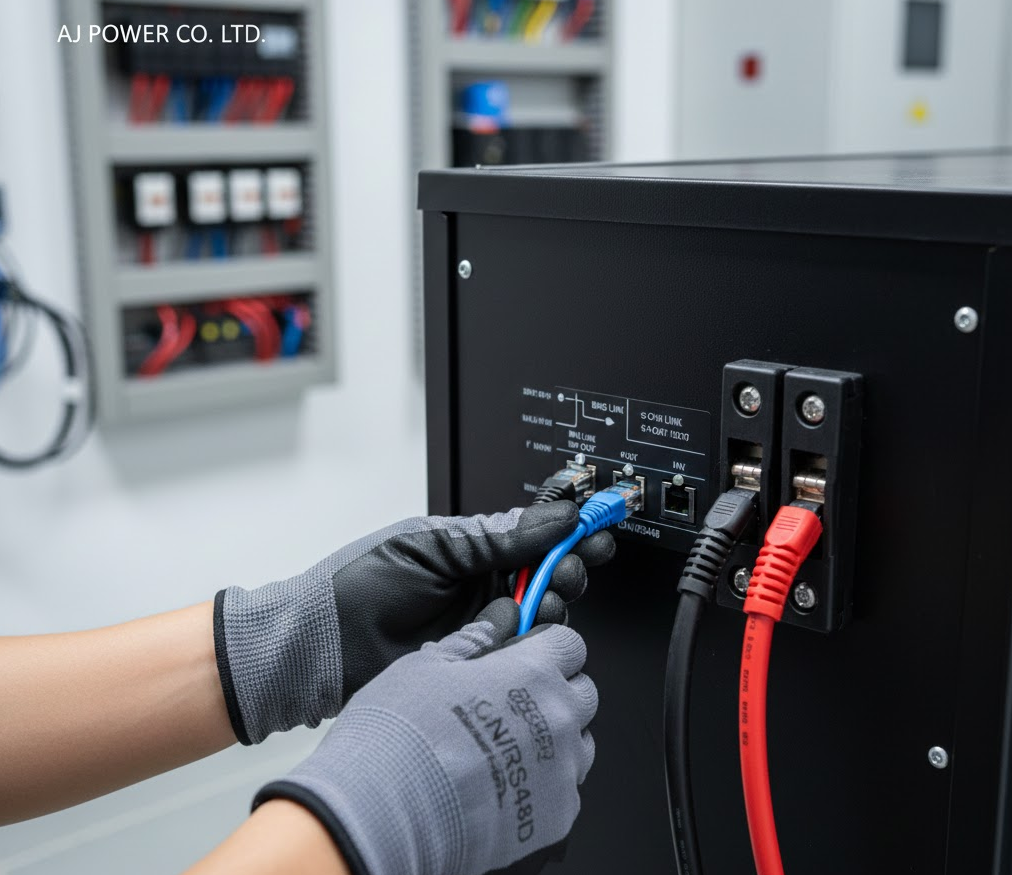
Cable pinouts: CAN and RS485 use different wiring schemes. Using a CAN cable for an RS485 connection (or vice versa) won't work
Cable quality: Use shielded cables for communication lines to prevent electromagnetic interference from nearby AC power lines
Connection tightness: Loose connections cause intermittent communication failures that can be maddeningly difficult to diagnose
Cable length: RS485 can handle longer runs, but CAN bus connections should typically stay under 10 meters
Newer battery firmware might not work with older inverter firmware, or vice versa. Before assuming a hardware incompatibility, check if firmware updates are available for either device.
Selecting a solar hybrid inverter supplier means ensuring compatibility from day one. AJ Power batteries have been tested and verified with numerous inverter brands. Here's a comprehensive compatibility reference:
Inverter Brand | Compatible Models | Protocol | Notes |
|---|---|---|---|
Victron | MultiPlus II, Quattro | CAN | Excellent integration via VE.Can |
Growatt | SPF 3000-5000 TL HVM, MIN series | CAN/RS485 | Requires protocol selection in settings |
Deye | SUN-5K-SG03LP1, SUN-12K-SG04LP3 | CAN | Automatic battery detection |
Goodwe | GW5048-EM, GW10K-ET | CAN | Full BMS data visibility |
SMA | Sunny Island series | CAN | May require additional interface |
Sol-Ark | 12K, 15K | CAN/RS485 | Native compatibility with LiFePO4 |
Schneider | Conext XW Pro | CAN | Certified for grid-tie and off-grid |
Victron inverters are known for their sophisticated energy management. When paired with AJ Power batteries, users gain access to detailed battery metrics through the VictronConnect app, including cell-level voltage monitoring and historical charge/discharge data.
Setup tip: Use the VE.Can to CAN-bus BMS cable for plug-and-play installation. Configure battery parameters in the inverter's menu under "Battery settings."
Growatt's SPF series offers excellent value for off-grid and hybrid applications. These units automatically detect AJ Power batteries when using CAN communication, though initial setup requires setting the battery type to "Lithium" in the configuration menu.
Setup tip: If using RS485, you'll need to manually configure the battery capacity and voltage parameters.
Deye inverters have gained popularity for their competitive pricing and robust performance. The SUN series includes automatic battery detection for many BMS types, including AJ Power's protocol.
Setup tip: After connecting the battery, power cycle the inverter to trigger the auto-detection sequence.
Beyond compatibility lists, several factors determine whether a hybrid inverter will work well with your specific setup.
Your battery voltage must match your inverter's DC input requirements. AJ Power offers both 24V and 48V configurations, while most modern hybrid offgrid inverters support 48V systems (which offer better efficiency for larger installations).
The AJ NM-ECO-4.2KW Plus operates at 48V nominal, making it suitable for mid-sized residential installations with multiple battery banks.
Your inverter's maximum charging current should align with your battery's specifications. Charging too slowly extends backup time during outages; charging too fast can reduce battery life.
For example, if you have a 200Ah battery bank, a charging current of 100A would provide a relatively fast charge rate (0.5C), while 50A would be more conservative (0.25C).
Calculate your actual power needs before selecting an inverter. Consider:
Peak loads (when multiple appliances start simultaneously)
Continuous loads (baseline power consumption)
Future expansion plans
A 4.2kW inverter handles most standard residential loads, but homes with electric heating, well pumps, or workshops may need 6kW or higher.
Getting your BMS and inverter talking requires attention to detail. Follow these steps for reliable communication:
Physical installation first: Mount both units, ensuring adequate ventilation and protection from the elements. Keep communication cables separate from high-voltage AC wiring.
Configure DIP switches: Set both the BMS and inverter DIP switches according to manufacturer specifications for your battery type and voltage.
Connect communication cables: Use the correct cable type for your chosen protocol. Secure connections firmly and route cables to avoid sharp bends.
Power up sequence: Some systems require a specific startup sequence. Typically: battery BMS first, then inverter. Check your manual for specific requirements.
Verify communication: Access your inverter's display or app to confirm it's receiving battery data. You should see voltage, current, state of charge, and temperature readings.
Test under load: After confirming communication, test the system under various load conditions to ensure stable operation.
Technology evolves rapidly. When selecting components today, consider these future-proofing strategies:
Choose inverters with updateable firmware: This allows you to add support for new battery types without replacing hardware.
Opt for open communication standards: Proprietary protocols lock you into specific brands. CAN and RS485 offer broader compatibility.
Consider modular expansion: Some solar hybrid inverter suppliers design systems that allow easy capacity additions without rewiring communication networks.
Document your configuration: Take photos of DIP switch settings and save configuration files. Future you (or the next owner) will thank you.
Successful BMS-inverter communication doesn't require an engineering degree—just careful attention to compatibility, proper configuration, and systematic troubleshooting when issues arise.
The solar energy storage market continues maturing, with better standardization and improved plug-and-play solutions. But understanding the fundamentals of how your battery and inverter communicate remains essential for building reliable, efficient systems.
Ready to build a solar system with reliable battery-inverter communication? Start by verifying protocol compatibility, then follow manufacturer guidelines for configuration. When in doubt, contact technical support before making irreversible installation decisions.
The investment in getting communication right pays dividends in system performance, battery longevity, and peace of mind.


